Embedded website widget
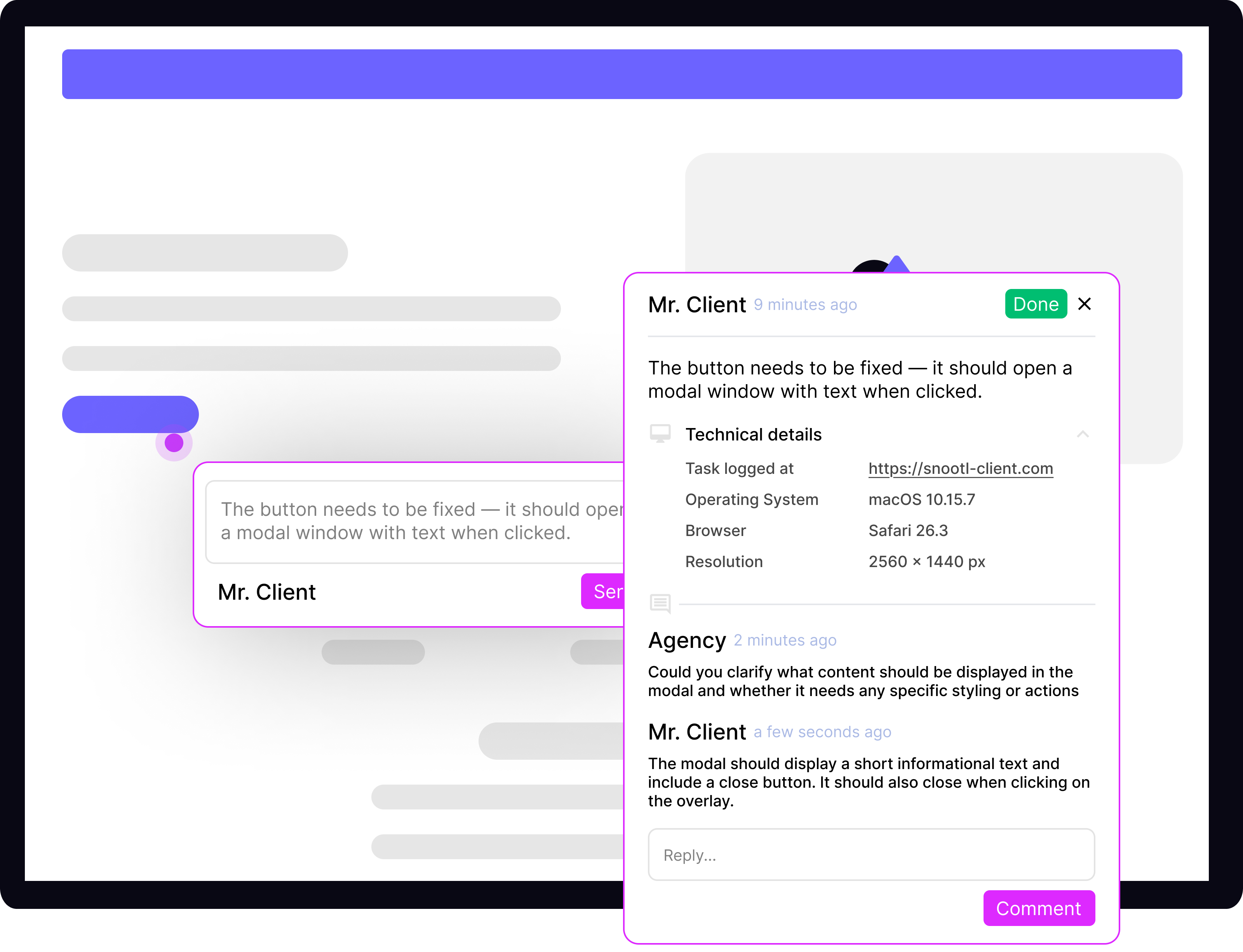
Add one script to staging or production. Reviewers can pin an exact element, capture a screenshot, draw annotations, attach files, and send page and environment context with the request.
Snootl turns scattered client comments into clear, contextual website tasks your agency can resolve and approve in one workflow.
Free plan · No credit card required
Protect your project margin
Keep every request tied to the page, the technical context, and the conversation your team needs to move it forward.
Clients point to the exact place they mean instead of describing it across email threads and screenshots.
Turn feedback into an owned task with status, priority, due date, and a complete activity trail.
Give clients and delivery teams one shared place to discuss, verify, and close each change.
How it works
Create a project and add Snootl to the staging or live environment you want to review.
Clients click on the page, explain the change, and submit it with the page and technical details attached.
Your team assigns, prioritizes, discusses, and closes the task without losing the original context.
One workflow, wherever the review starts
Use the embedded widget, a browser extension, or the official WordPress plugin. Every submission becomes a structured task your team can manage in Snootl.
Add one script to staging or production. Reviewers can pin an exact element, capture a screenshot, draw annotations, attach files, and send page and environment context with the request.
Use Snootl on sites where you cannot add the widget yet. Connect the current domain to a project, capture the visible tab, and open the same feedback workflow without changing the website.
See browser extensionsInstall Snootl from WordPress.org, validate the project API key, and control whether the widget is available to everyone, signed-in users, selected roles, or inside wp-admin.
View the WordPress pluginMove cards through the board, assign an owner, set status, priority, and due date, then keep comments, attachments, activity, filters, and saved views attached to the work.
Browser extensions
Use Snootl on staging sites, protected environments, and websites you cannot modify yet. Reports arrive in the same task workflow as widget feedback.
Open the Snootl extensions page and choose Chrome or Firefox.
Open the Snootl extension and use the same account as your product workspace.
Connect the current website, select an element, and submit contextual feedback.
Snootl turns client input into structured, contextual feedback — so agencies and developers can move faster without the communication mess.
Feedback is scattered across emails, Slack messages, spreadsheets, and screenshots. It’s unclear, incomplete, and creates endless back-and-forth.
Feedback is left directly on the page with full context. Snootl organizes everything in one place, so your team can focus on delivering — not deciphering messages.
Clients can use the embedded widget, while your team can reach protected or unconnected sites through the browser extension.
Pin the exact page element, capture a screenshot, draw an arrow, rectangle, or freehand note, and attach supporting files.
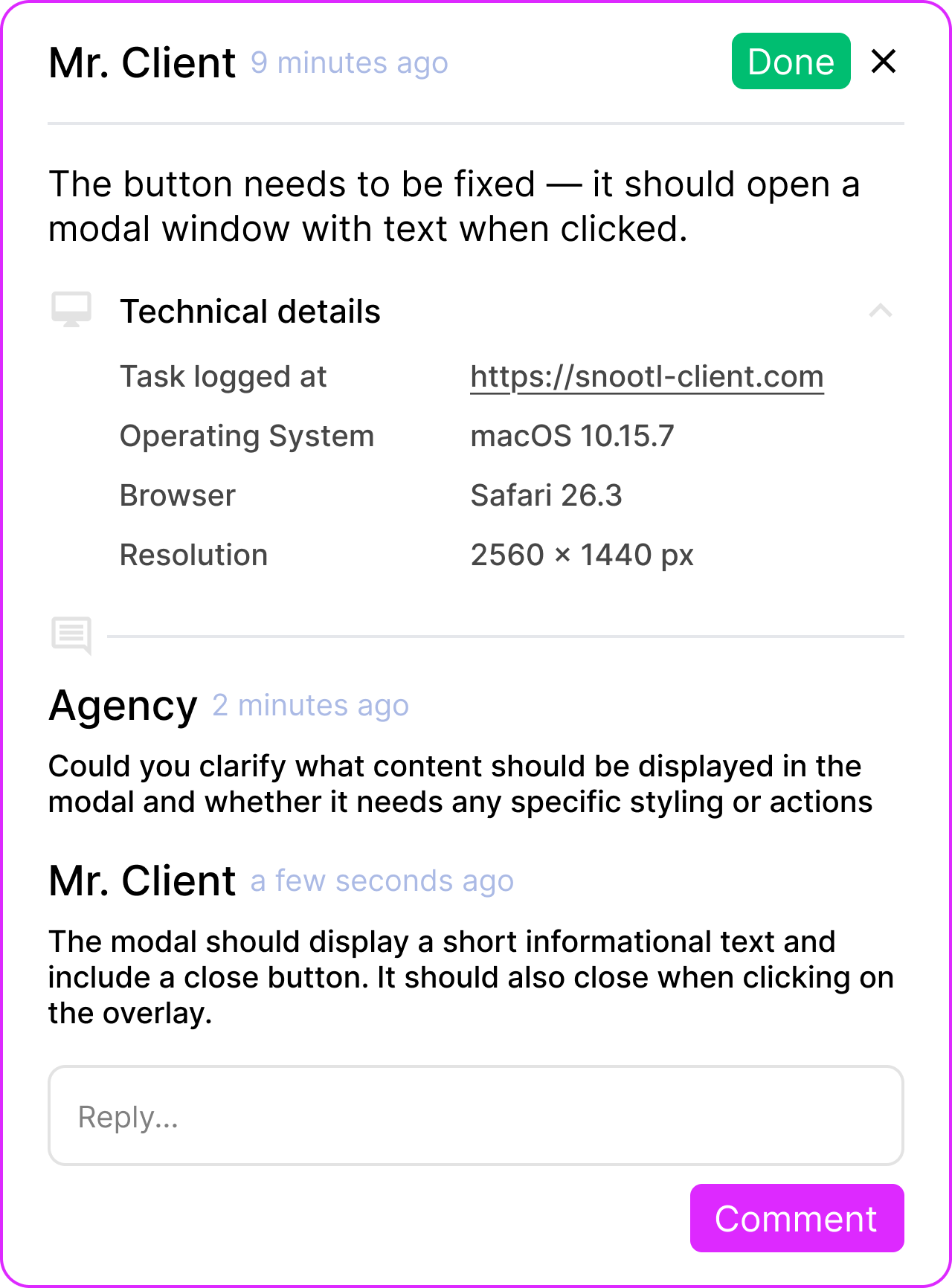
Capture the URL, DOM selector, browser, operating system, screen and viewport details, plus optional console diagnostics.
One workflow, fewer handoffs
Snootl keeps the client conversation and delivery workflow connected, so feedback does not become another project-management job.
See every request, owner, priority, and due date without rebuilding the brief from chat messages.
Open a task with the original page, screenshot, discussion, and technical context already attached.
Point to the exact part of the website, explain the change, and follow the conversation in one place.
Customer story
justDev uses Snootl to keep client feedback attached to the work instead of scattered across communication tools.
“Snootl completely changed how we handle client feedback. Instead of scattered screenshots and unclear messages, we now get precise, contextual feedback directly on the website. It makes collaboration smoother and projects move faster.”

Kyrylo Dorozhynskyi
CEO at justDev
Pricing
Every plan includes the core feedback workflow. Upgrade when you need more workspaces and projects.
Loading pricing plans
Compare your options
See factual, source-linked comparisons with Marker.io, BugHerd, Pastel, and Ruttl.
Questions
No. Clients can use the embedded widget on a connected website. The browser extension is an additional option for your team when a site does not have the widget installed or is behind a protected environment.
Yes. Snootl has an official WordPress.org plugin with API-key validation and visibility controls for all visitors, signed-in users, WordPress roles, and wp-admin.
Yes. Teams can manage feedback in a task list or Kanban board with statuses, assignment, priorities, due dates, comments, attachments, filters, saved views, and activity history.
Snootl can attach the page URL, screenshot, selected element, browser, operating system, screen and viewport details, plus optional console diagnostics.
Yes. A project can be connected to the environments your team and clients are authorized to review.
You can move to a plan with more owned workspaces and projects. Billing is managed securely through Stripe.
Yes. Start with the Free plan and move to a paid plan when you need additional client workspaces or projects.
Create a free workspace, connect a website, and keep every change in one clear feedback workflow.
Free plan · No credit card required